M31 in HaRGB
Beautiful skies last night, mostly clear, and no moon, the perfect night for broadband color with separate RGB filters, and I went after one of the finest northern hemisphere color targets. Andromeda (M31) is one of our galactic neighbors at only 2.5 million lightyears away. Our own galaxy, the Milky Way, may have as many as 400 billion suns, while Andromeda may have as many as a trillion suns. M31 is about 152,000 light-years across, and the Milky way is a bit under 90,000 lightyears. We're both good-sized barred spiral galaxies. Stick around for a few billion years and you can watch us collide and form one massive galaxy. Notes: 51 x 120-sec Red, 53 x 120-sec Green, and 56 x 120-second Blue filter (Astronomik Deep Sky RGB filters), 60 x 180-second Hydrogen-alpha (Astronomik 6nm), ZWO ASI1600MM-Pro monochrome camera running at -10C, ZWO AM5 EQ mount, William Optics SpaceCat 51 apochromatic refractor.
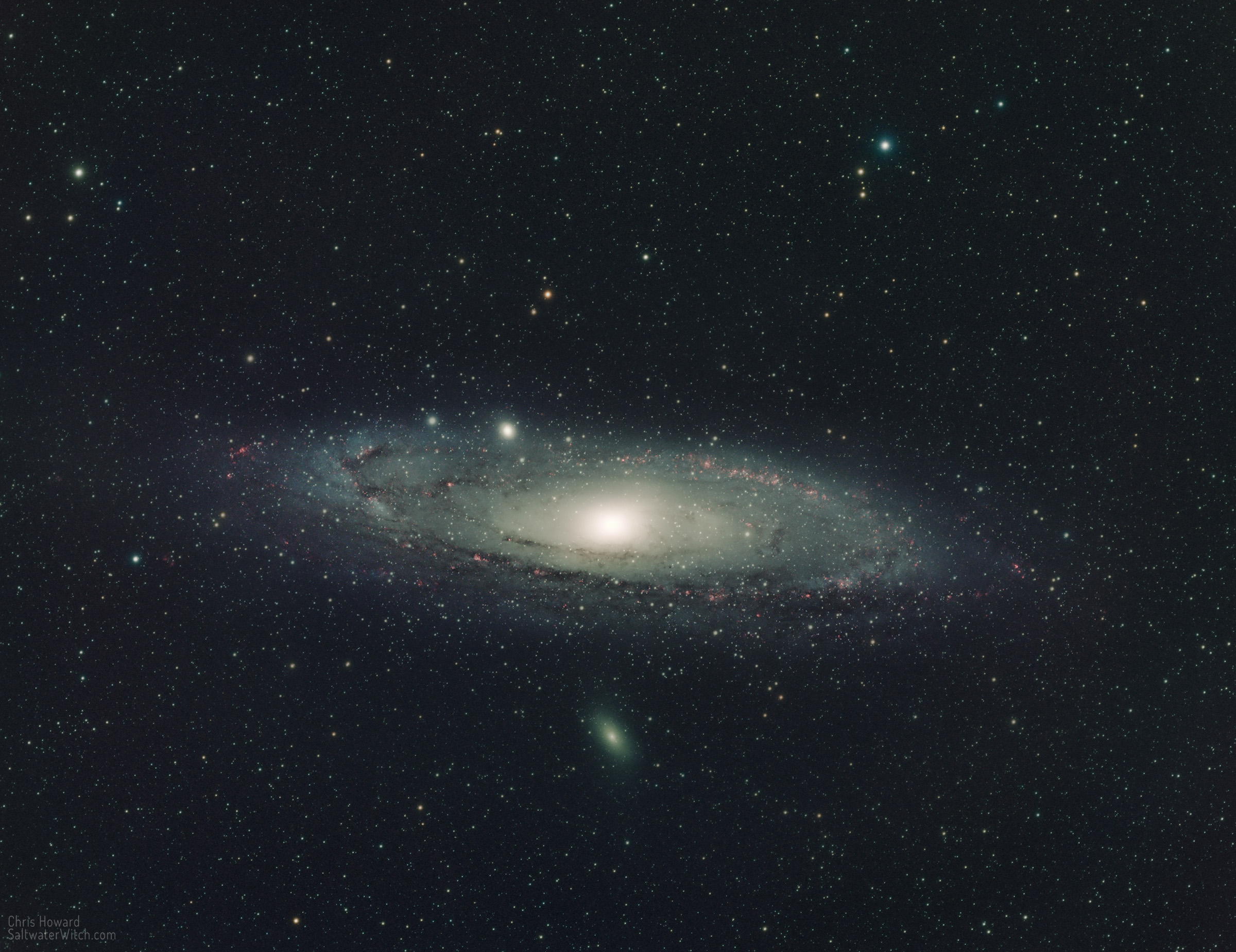
The Milky Way and Andromeda are two of the largest members of the Local Group, which contains about 80 galaxies, most of which are dwarf galaxies with something like 10 billion stars or fewer. M110 (below) and M32 (above) are satellite galaxies of Andromeda, and both are dwarf galaxies in the Local Group. Most of these dwarf galaxies don't have much of an internal structure, no dust lanes, very little star formation. (M110 is an exception, in that there are remnants of a spiral of interstellar dust and there's ongoing research looking at M110's origins and development). Andromeda may contain a trillion solar masses and the Milky Way galaxy contains around 400 billion solar masses—give or take a few billion. From our perspective along the Orion-Cygnus Arm (sometimes called the "Local Arm") of the Milky Way, the Andromeda Galaxy is at an angle, tipping toward us, inclined around 77° relative to Earth. I believe the edge of M31 with M110 (bottom in this rotation) is the side closest to us. One of the notable catalogued regions within the galaxy is NGC 206 (bright bar on the lower left side), a star forming region with hundreds of relatively new spectral class O and B stars. These hot blue-giant stars are so bright and massive we can resolve them from our galaxy with consumer telescopes.
Posted September 25, 2022
The Crescent
NGC 6888, the Crescent Nebula in Cygnus, is mostly made up of ionized hydrogen with a filmy envelope of oxygen (not present in this Ha-only data). Its longest side spans about 25 lightyears, or about 235 trillion kilometers (146 trillion miles), which at only 5000 lightyears away, is a pretty good-sized deep sky object. I spent the entire night capturing hydrogen-alpha data, over 60 subs, 53 of which I used in this stack. I will come back on another night to capture the OIII data. Notes: William Optics SpaceCat51 apochromatic refractor, ZWO ASI1600MM-Pro monochrome camera cooled to -10C, 53 x 300-second subframes (about 4.5 hours of data) stacked in DSS, ZWO AM5 EQ mount, ASIAir Plus controller. (I ordered the ASIAir early August—backordered, and it arrived a couple weeks ago. This is only my second time out with the Air, and I can already see this being be my away-from-home controller).
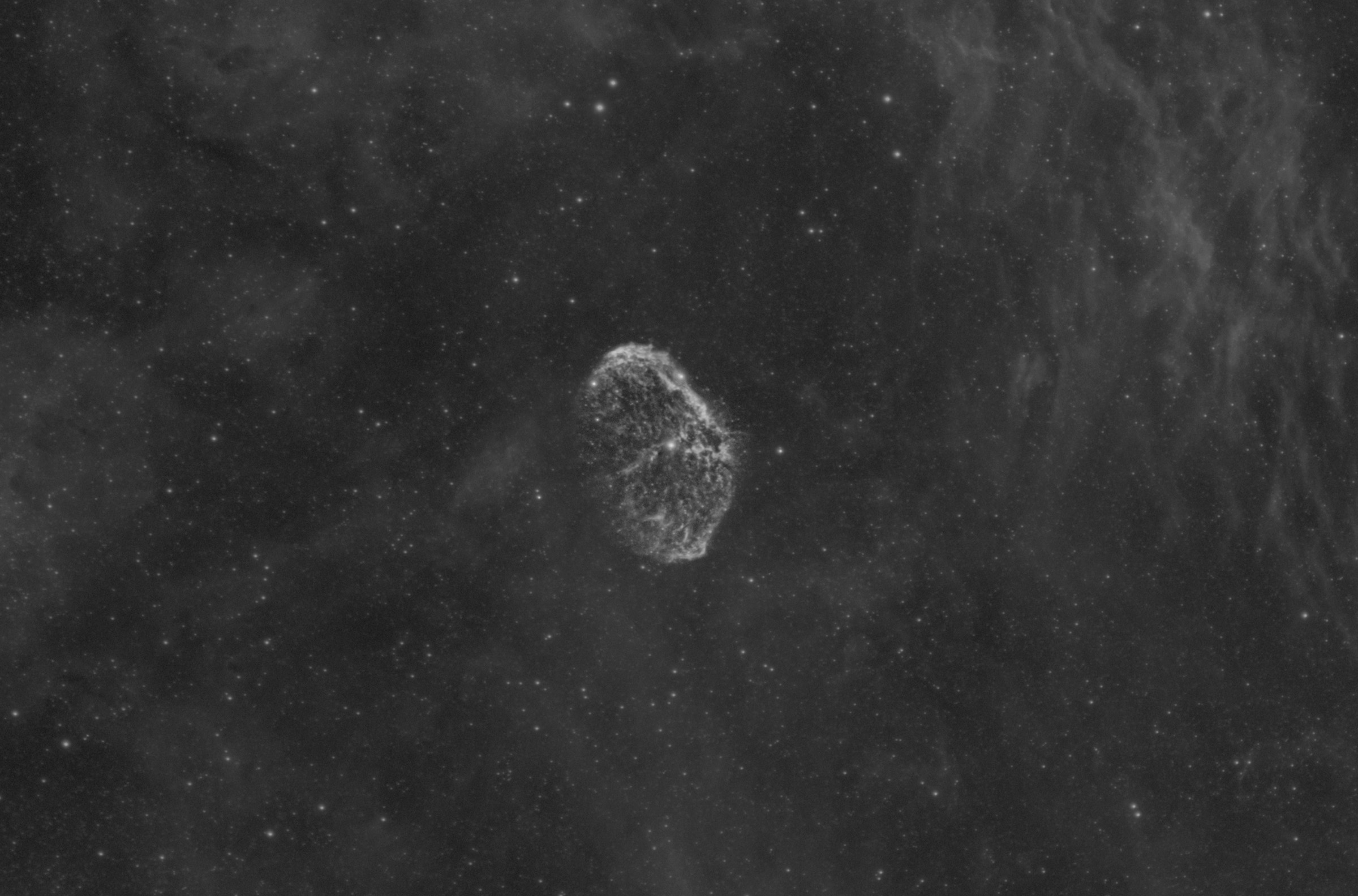
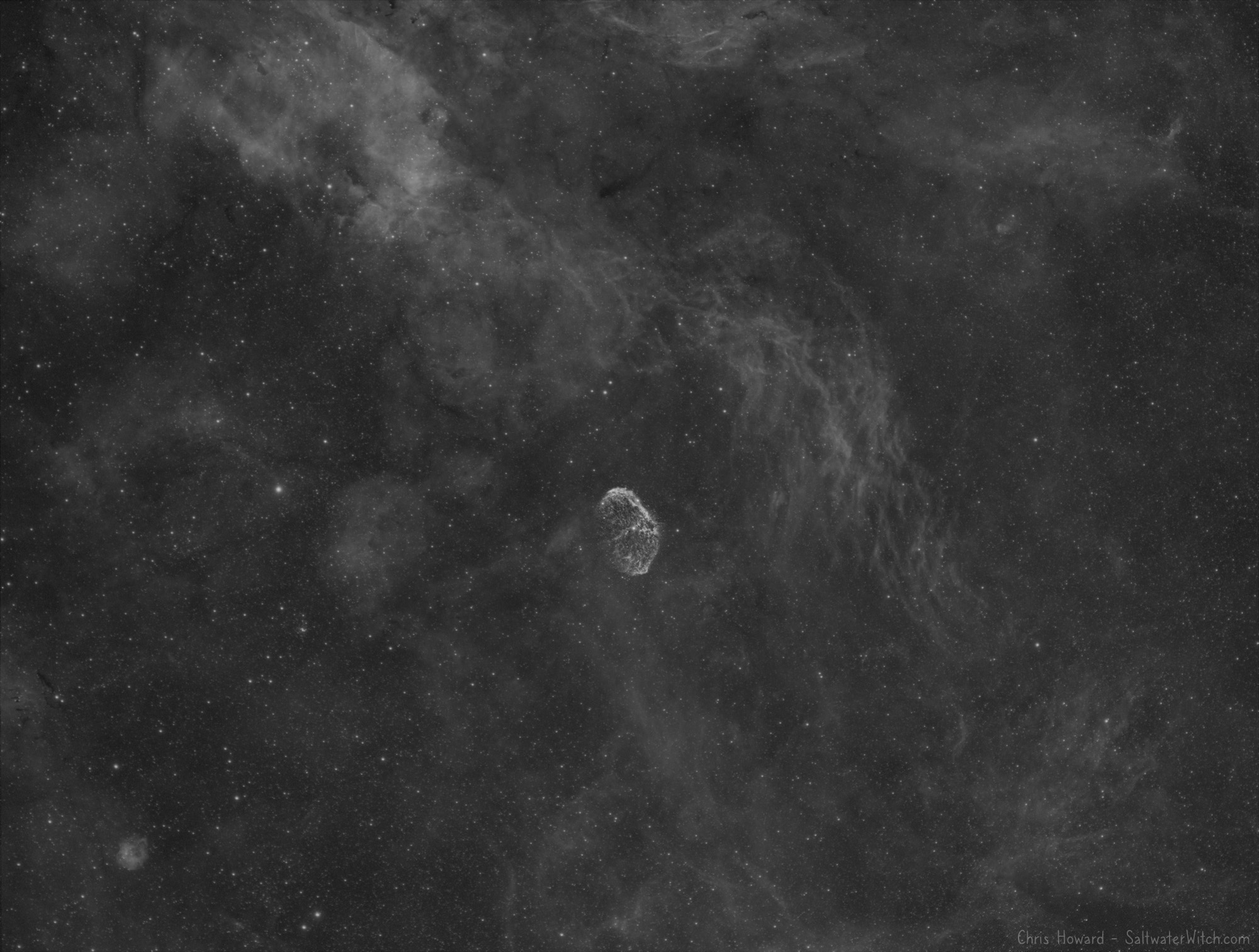
Cropped to focus on NGC 6888 (above), here's the full FoV from the SpaceCat and ASI1600:
Posted September 17, 2022
Off to shoot the Wizard
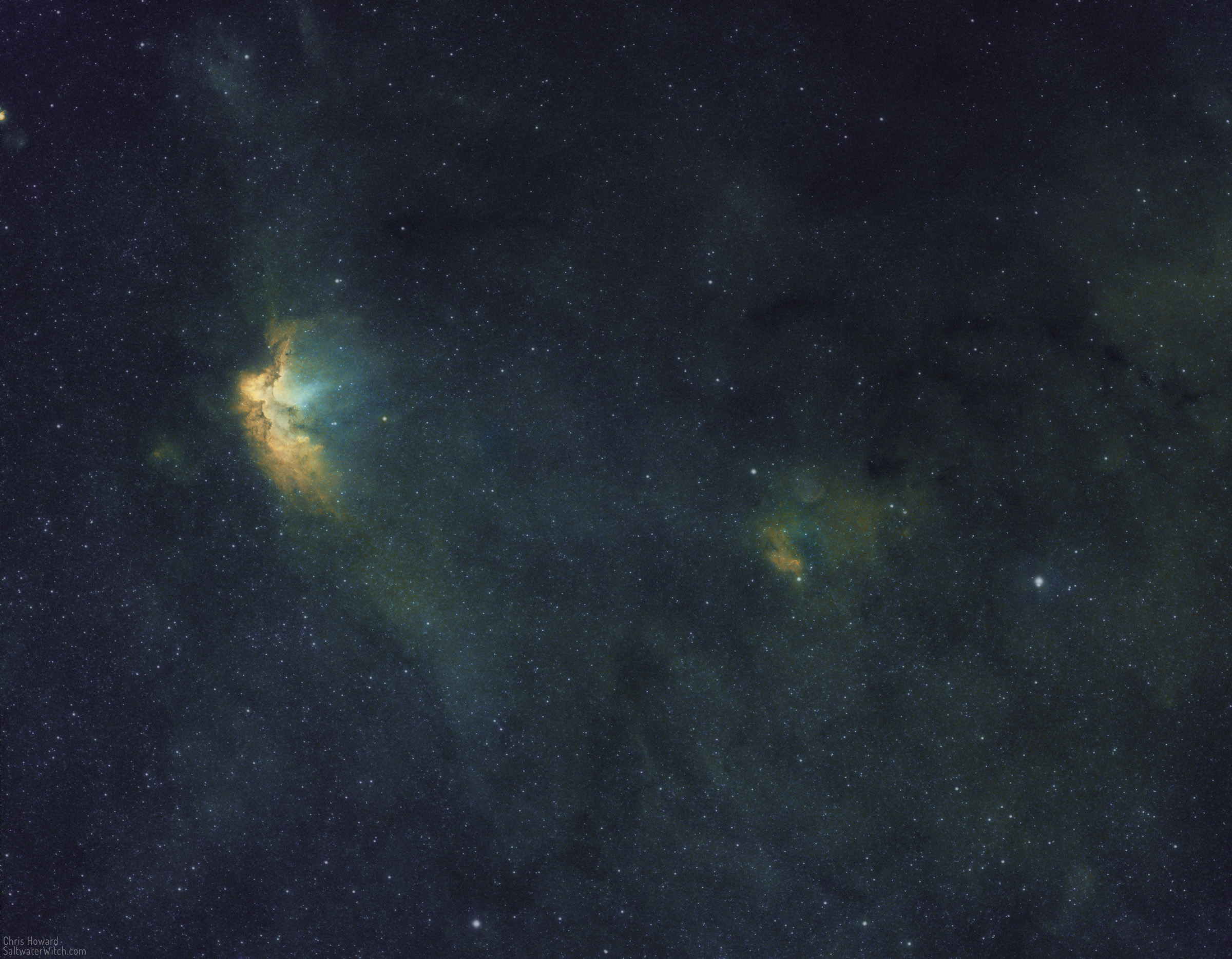
NGC 7380 is an open star cluster in Cepheus, surrounded by the bright emission nebula Sharpless 142 (Sh2-142, center, left), but we all know it as the Wizard Nebula. Why? Well, because it sort of looks like a bent old dude with a pointy hat looking out over a vast expanse of nebulosity, loops of dark interstellar dust, and a spread of hot stars bathing everything in intense radiation, all of which could be mistaken for some sort of magical display. In other words, what a wizard might do. That's my guess, anyway.
Last night was also my first night out with the ZWO ASIAir Plus (astro device controller), and because the Wizard has all three bands present to some degree, hydrogen-alpha, oxygen 3, and sulfur 2, I thought I would try something new: shooting 10 subs for each filter, running autofocus for each set, and then looping through each set of three filters three times. This way I would end up with 30 sub frames for each over the course of one night, a reasonable amount of data. This would also allow me to see how the meridian flip went, how well the autofocus routines work, and more. Note: with the 3nm Antlia Pro narrowband filters, each autofocus run takes about 7 minutes, with a set of 20 second exposures—the routine needs at least 20 just get enough stars to focus with these very narrow 3 nanometer filters.
It was also a cool mid-September night and with wind gusts and "poor seeing" according to the Clear Sky Chart, the guiding with the ZWO AM5 wasn't outstanding, but good enough for 300-second exposures, never straying too far above an arcsecond.
Here's the combined narrowband result in SHO, the Hubble Palette, where Sulfur is mapped to Red, Hydrogen to Green, and Oxygen to Blue in RGB colorspace.
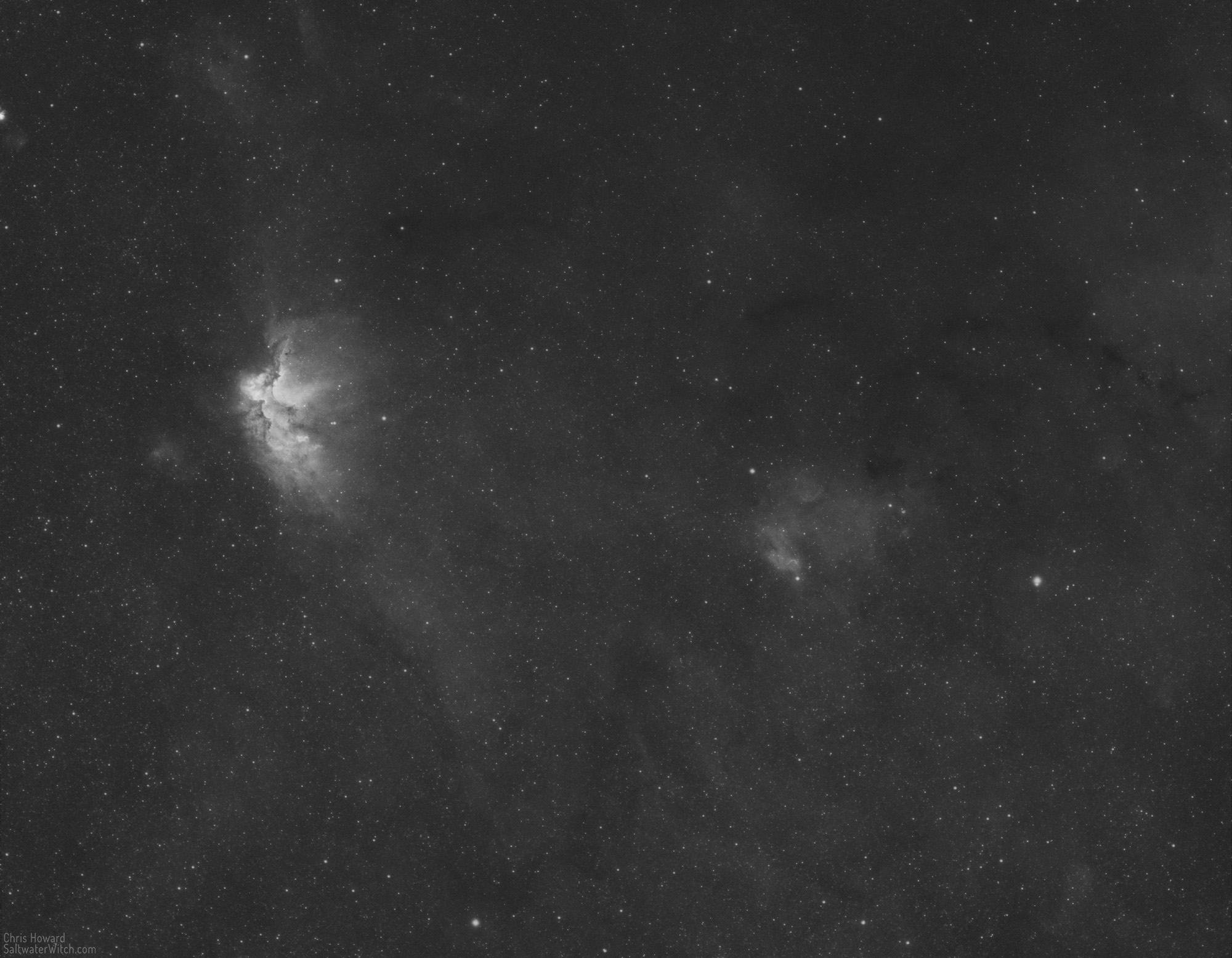
Here's the Hydrogen-alpha data by itself:
Posted September 16, 2022
One of those nights...
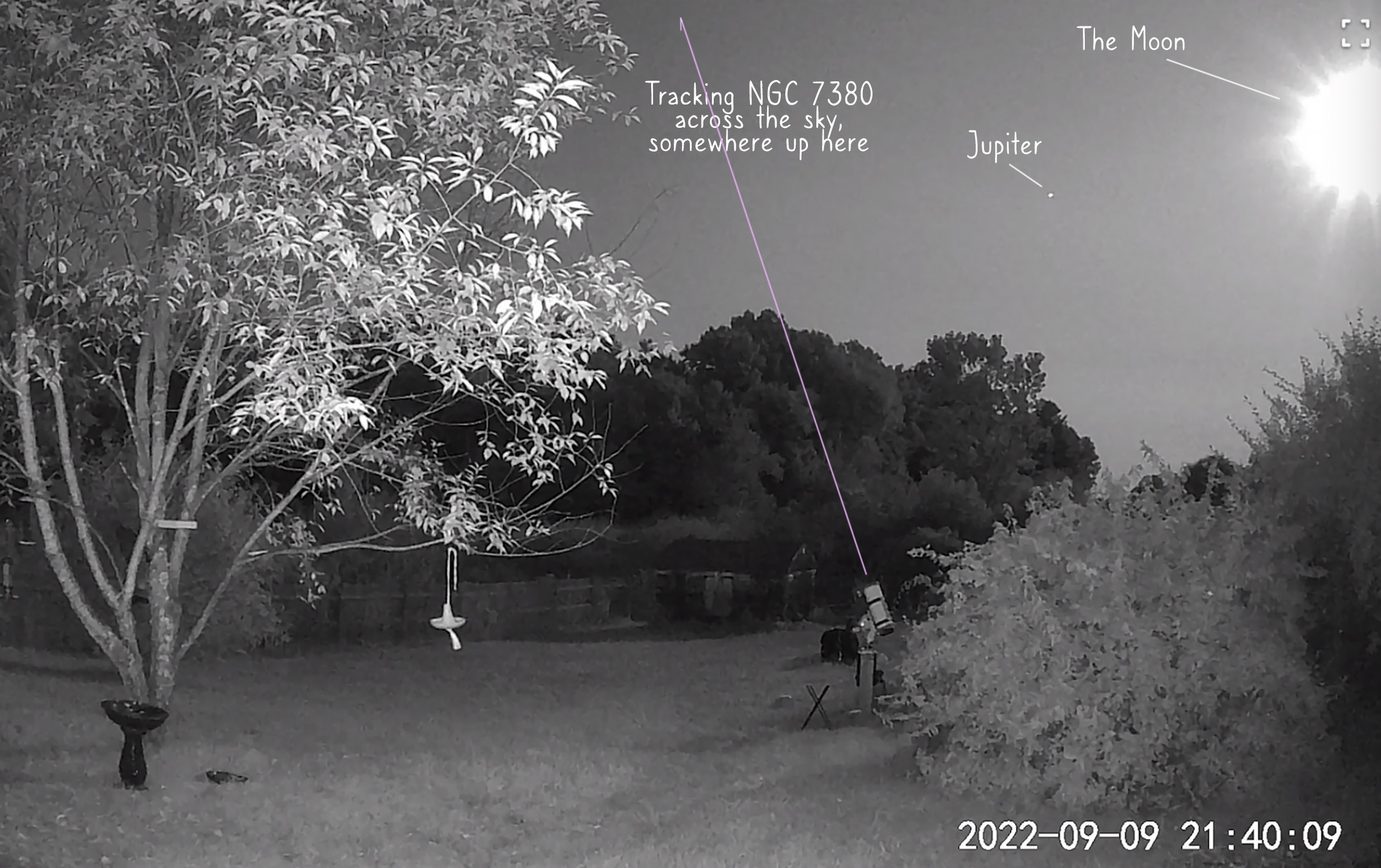
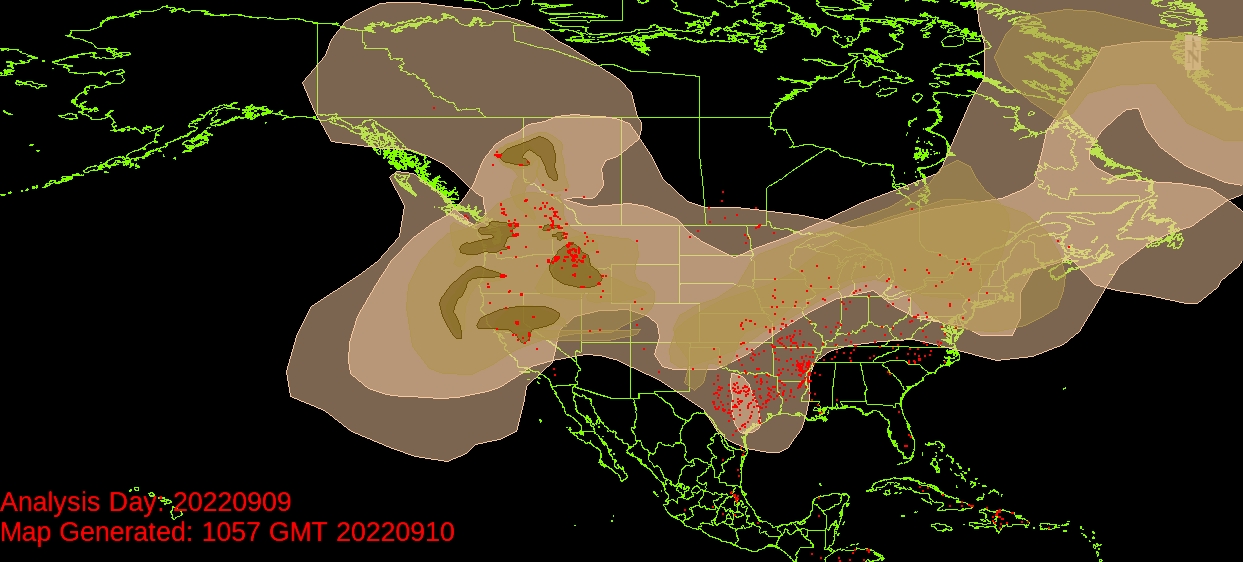
Everything seemed to be working against any sort of astronomy stuff happening. A nearly full moon, a crazy amount of condensation in the air, and a thick layer of haze that turned out to be smoke from some devastating wildfires in Canada and northwest US. Here's what the backyard looked like in infrared. I should have known to call it a night (earlier than I did) when Jupiter was the only object I could really see in the sky. These cameras are way more sensitive than our eyes, and with narrowband filters I can usually shoot on a full moon night, but Nature wasn't having any of it.
Click here to see the latest smoke map for North America. Here's what the smoke layer looked like at the time:
Posted September 10, 2022
Testing, Testing, 1, 2, 3...
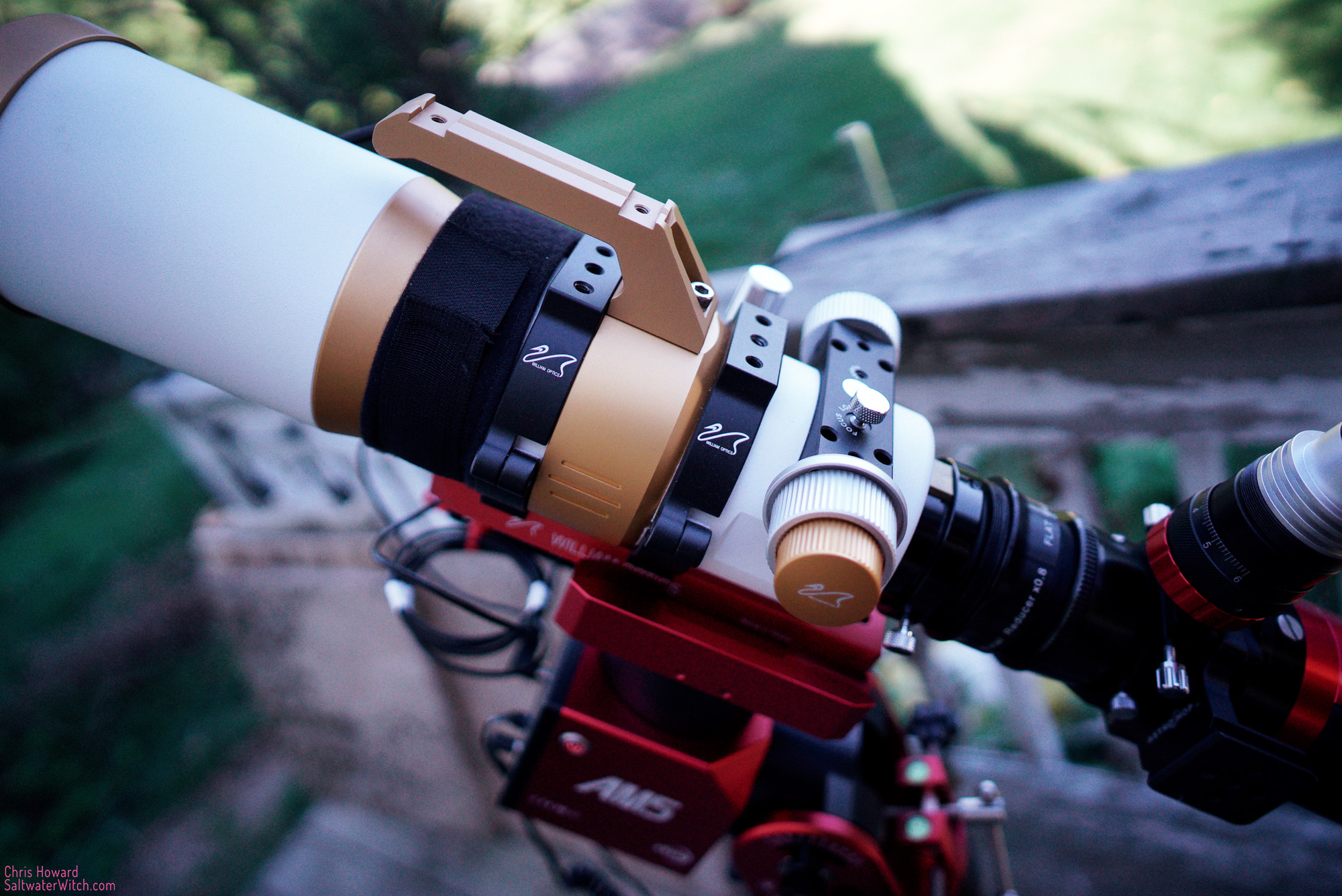
I'm hoping for some clear skies tonight, enough to test out the #ZWOAM5 with my trusty William Optics GT81 and the ZWO ASI071 cooled color camera. It's a beautiful fall day out there right now, at quarter after 5pm, but I don't think this is going to last into the evening.
Posted September 7, 2022
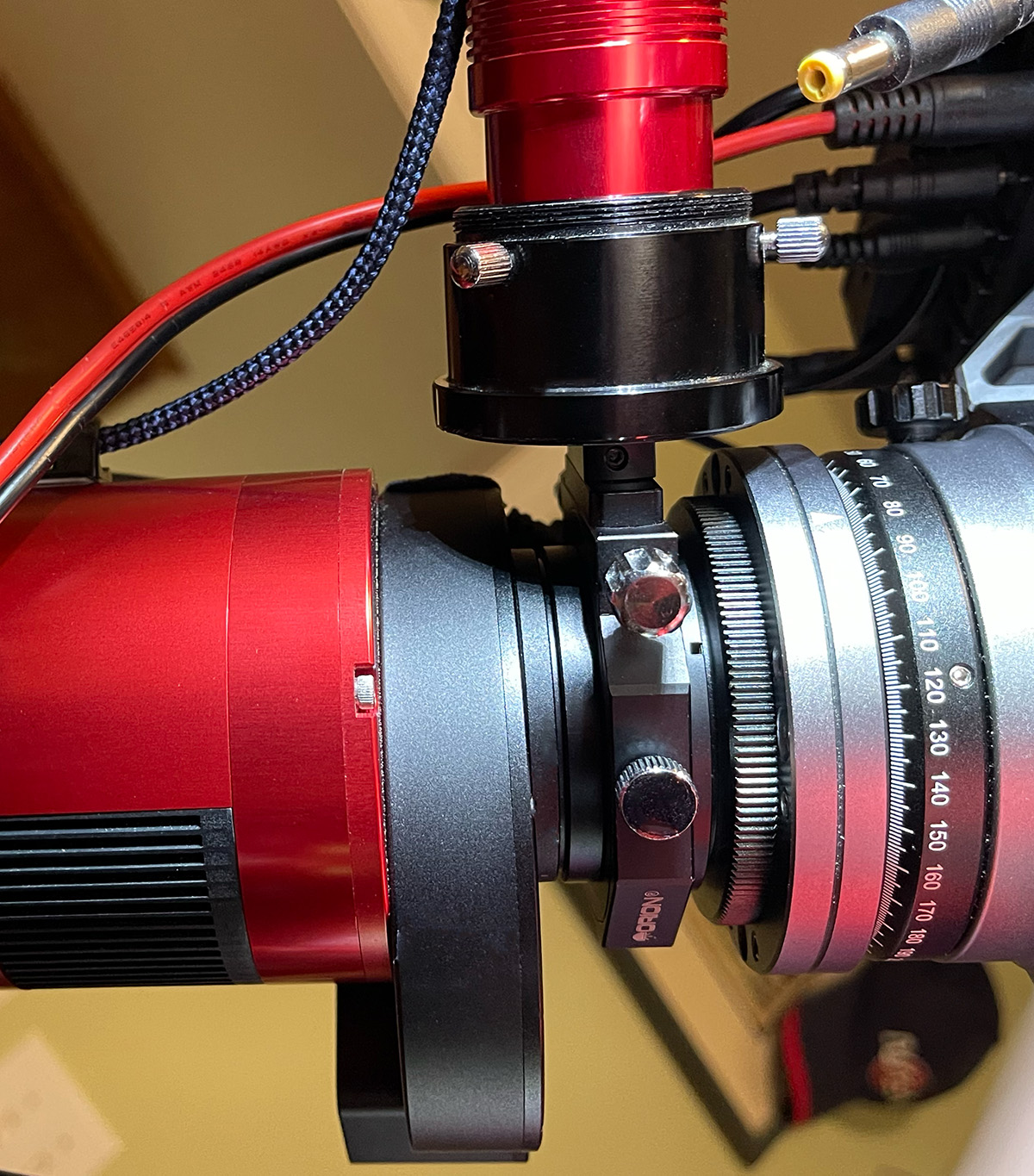
Configuring an Off-axis Guider with the SpaceCat
Just wanted to document the spacing and backfocus distance for the ZWO ASI1600MM-Pro with the electronic filter wheel and OAG. The William Optics SpaceCat 51 allows a maximum distance of 57.9mm to achieve minimum focus, so I like to be somewhere close to 50mm when everything is totaled up--and looking good:
- ASI1600MM 6.5mm
- ZWO EFW 20mm
- M42-M48 ~5mm
- M48 spacer 5mm
- OAG 10.5mm
- 42-M48 ~3mm
Total: ~50mm
Posted September 7, 2022
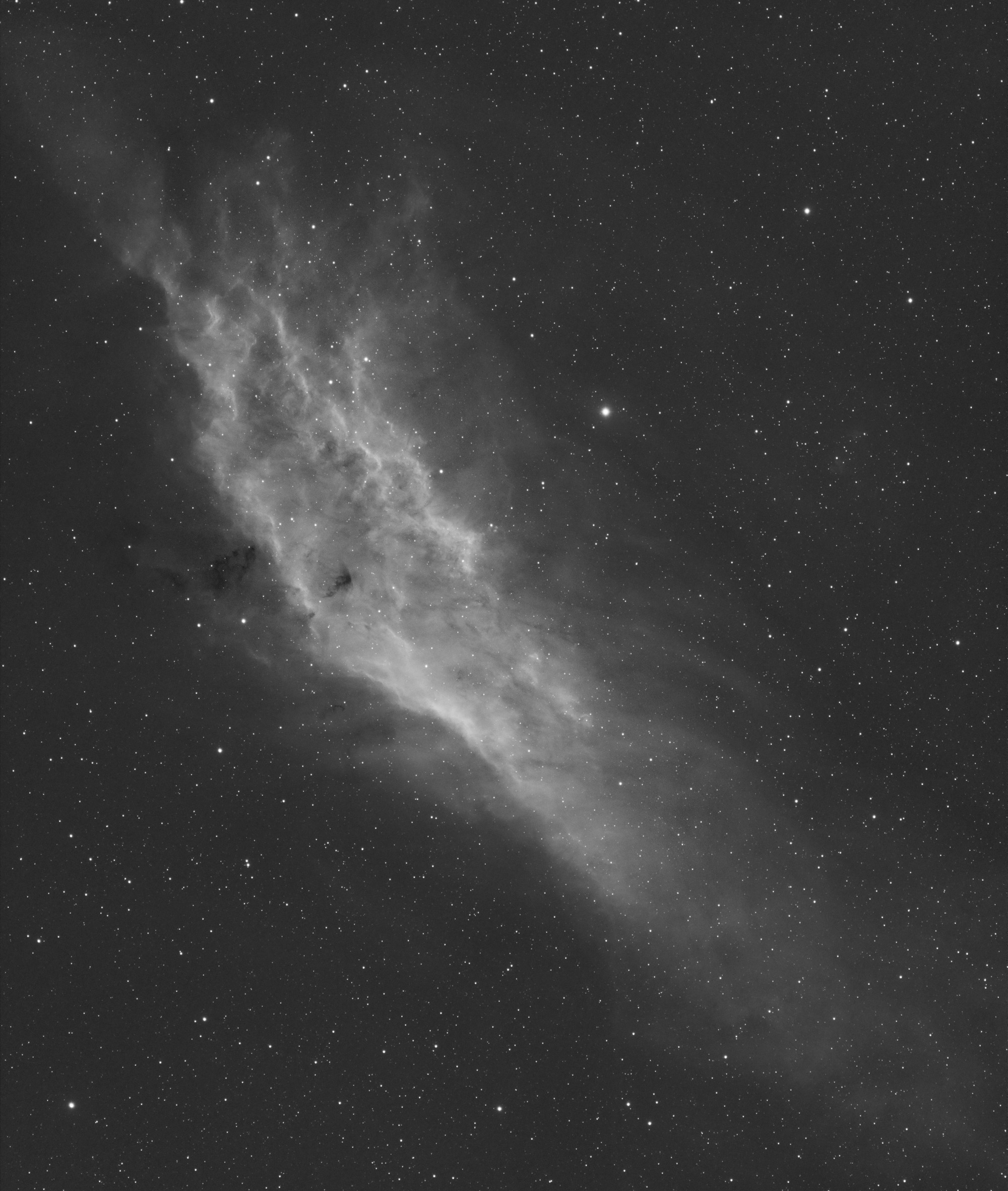
NGC 1499 in Ha
The California Nebula (NGC 1499) in the constellation Perseus. Imaging notes: 3nm Antlia Pro hydrogen-alpha filter, William Optics SpaceCat 51 Apochromatic refractor, ZWO ASI1600MM-Pro monochrome camera.
Posted September 5, 2022
Dual Imaging Rigs
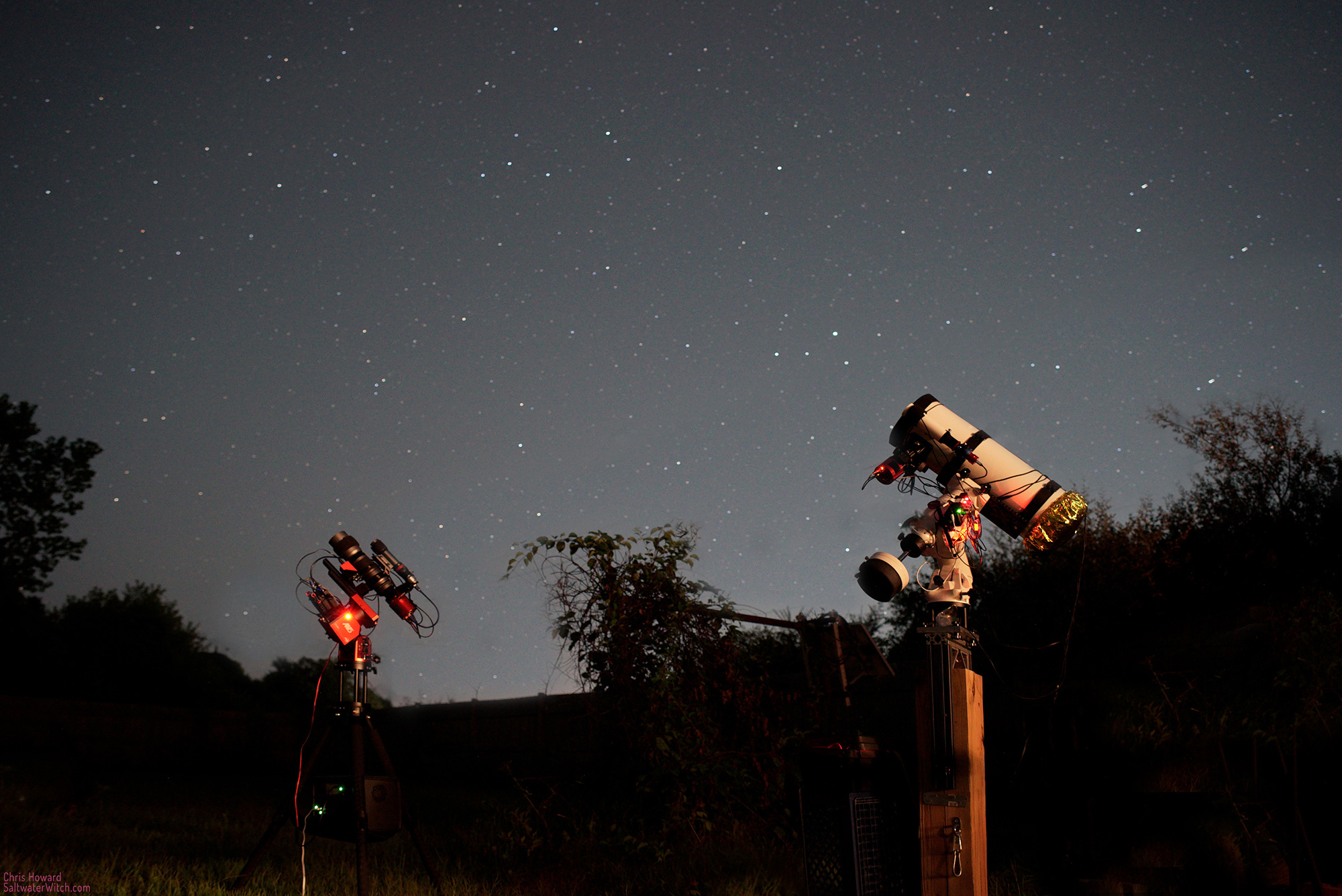
A shot of my backyard last Friday. It was nice and clear, and I ran both imaging systems, the 250mm monochrome camera and narrowband (NGC 281, Pacman Nebula in Cassiopeia), and the 800mm with filtered RGB color (M33, Triangulum Galaxy).